






Editing in Lightroom
How to Download Lightroom?
The editing software that we teach in the Lightroom Editing Class is
- Adobe Lightroom (NOT Adobe Lightroom Classic)
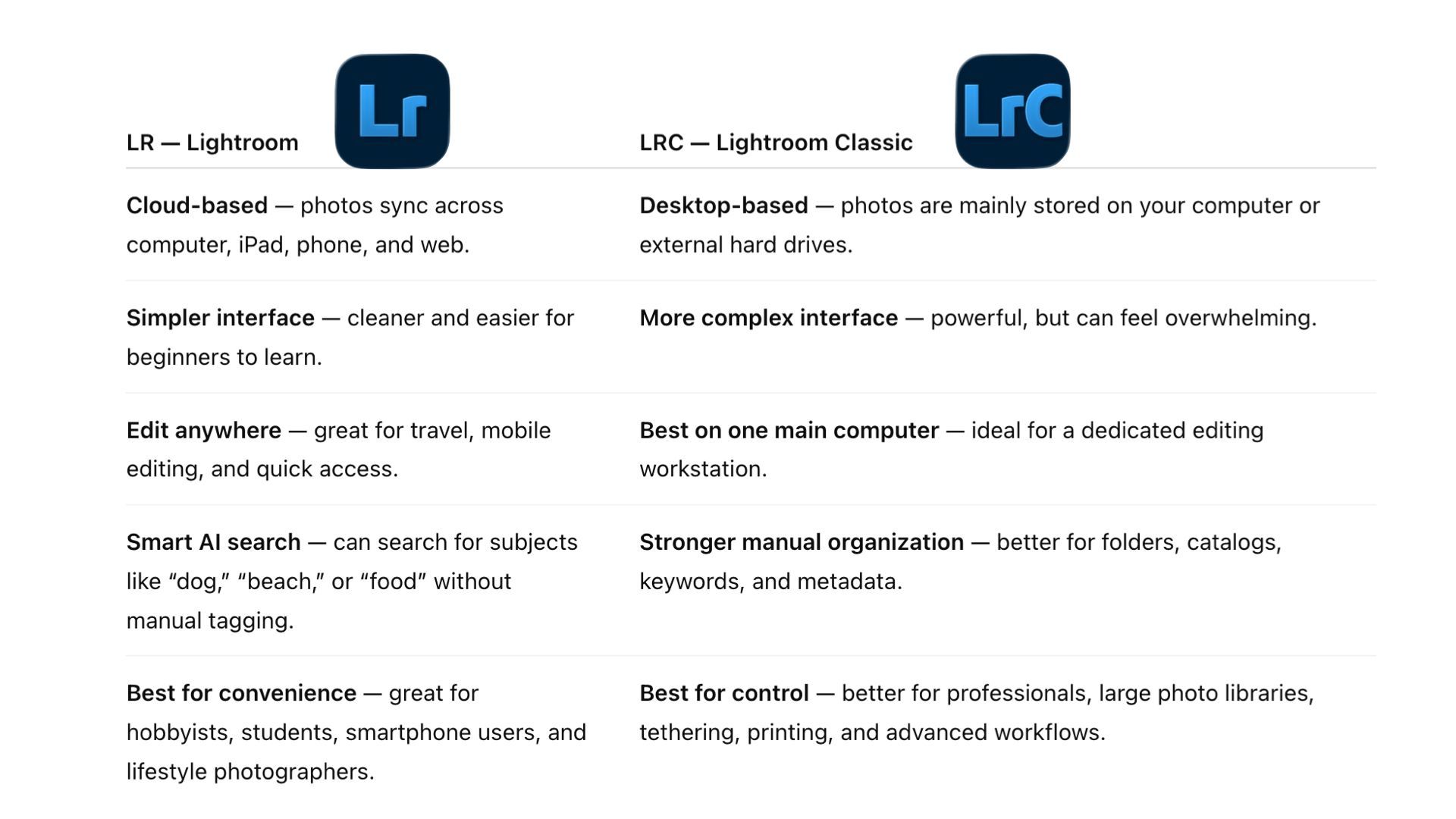
- Adobe has two Lightrooms: Lightroom and Lightroom Classic
Steps to download Lightroom:
- Step 1
- Please click here to subscribe to the Lightroom Plan from Adobe, the cost is $11.99/month.
- Step 2
- After you've subscribed to the Lightroom Plan, you will have the option to download both "Lightroom Classic" and "Lightroom". Please download "Lightroom" (and of course, you can also download "Lightroom Classic" as it is included in the Plan).
- Step 3
- After you've downloaded "Lightroom", create an account and sign in. Please do so before the Camp because the process is going to take a while.
The Icons look different
Lightroom (the one we teach)

Lightroom Classic (not the one we teach)
Lightroom vs Lightroom Classic
We teach Lightroom, instead of Lightroom Classic, in the Editing in Lightroom Class.
Please see the comparisons: