











Editing in Lightroom
Make sure you download Lightroom (not Lightroom Classic):
The software that you will need for the Editing in Lightroom Class is
- Adobe Lightroom (NOT Adobe Lightroom Classic)
- Adobe has two Lightrooms: Lightroom and Lightroom Classic
Steps to download Lightroom:
- Step 1
- Please click here to subscribe to the Lightroom Plan from Adobe, the cost is $11.99/month.
- Step 2
- After you've subscribed to the Lightroom Plan, you will have the option to download both "Lightroom Classic" and "Lightroom". Please download "Lightroom" (and of course, you can also download "Lightroom Classic" as it is included in the Plan).
- Step 3
- After you've downloaded "Lightroom", create an account and sign in. Please do so before the class because the process is going to take a while.
The Icons look different
Lightroom (which is the one you need)

Lightroom Classic:

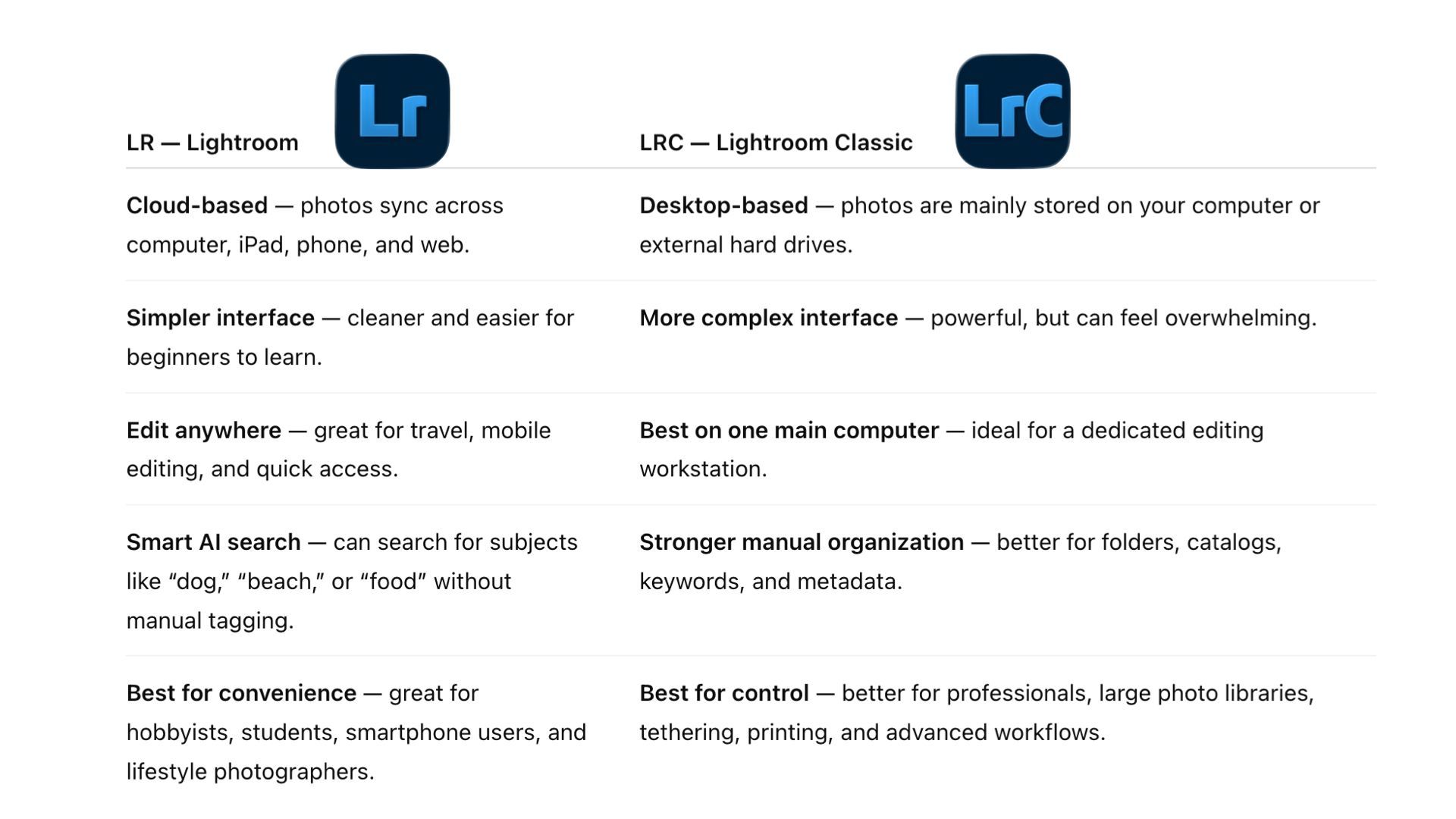
Lightroom vs Lightroom Classic
We teach Lightroom, instead of Lightroom Classic, in the Editing in Lightroom Class.
Please see the comparisons:
Can you apply what you learn in this class to Lightroom Classic?
Yes, the editing knowledge is transferable to Lightroom Classic, although the interface and organization tools are different.
The editing concepts and techniques taught in this class- exposure adjustments, color correction, masking, color grading, noise reduction, lens blur, and object removal—can also be applied in Lightroom Classic. The location and appearance of some tools may differ, but they can be easily found in Lightroom Classic.
The main difference is that Lightroom Classic uses a catalog-based file-management system, while Lightroom is cloud-based.
Your class’s editing skills transfer well, but its importing process may not transfer exactly, more computer knowledge (not editing knowledge) is needed for one to use Lightroom Classic.
Why does Lightroom Classic require more computer knowledge?
Lightroom Classic generally requires greater familiarity with computer file structure management because users need to understand folders, directories including storage locations on a computer. Lightroom has a simpler, cloud-based interface, making it more approachable for beginners.
For example, in Lightroom, you can easily locate a photo on your computer and begin editing right away. In Lightroom Classic, however, you must first create and save a catalog to a location that is easily retrievable in the future, then import the photo into that catalog before you can begin editing. Because this workflow involves folder hirerarchy and file locations, it requires the photographer to have more computer knowledge.